
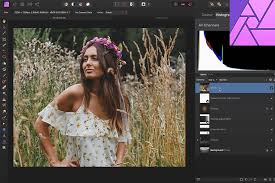
Affinity Photo vs Pixlr: Lightweight Editing or Professional Control?
In this Affinity Photo vs Pixlr comparison, the key question is whether users need lightweight editing tools or professional-level control. This comparison helps users decide which workflow fits their creative needs best. Both Affinity Photo and Pixlr are popular photo editing tools, but they serve very different audiences and workflows.
Core Editing Philosophy
This comparison shows a clear difference in editing philosophy. Affinity Photo focuses on precision, depth, and professional control, while Pixlr focuses on speed, simplicity, and accessibility.
Affinity Photo is designed for users who need full creative control and advanced editing power, while Pixlr is made for fast and easy results without complexity.
Key takeaway: professional depth vs lightweight simplicity
Platform Performance (Affinity Photo vs Pixlr Comparison)
Performance is another major factor in this Affinity Photo vs Pixlr comparison. Affinity Photo runs as a desktop application and works offline, allowing it to handle large files and complex projects smoothly.
Pixlr is browser-based, making it more accessible but dependent on internet connection and less suitable for heavy editing tasks.
Key insight: power vs convenience
Features and Tools
The difference becomes even clearer in features. Affinity Photo includes advanced tools like RAW editing, HDR merging, layer blending, and non-destructive workflows.
Pixlr offers simpler tools such as filters, templates, AI background removal, and basic image adjustments.
Important highlight: advanced editing vs quick editing tools
Ease of Use
Usability is another key factor. Affinity Photo has a steep learning curve and is best for experienced users who want full control.
Pixlr is beginner-friendly and allows users to start editing immediately without training.
Key takeaway: skill-based tool vs beginner-friendly tool
Target Users
The comparison also shows clear differences in target audience. Affinity Photo is designed for professional photographers, designers, and digital artists.
Pixlr is aimed at casual users, students, and social media creators who need quick results.
Important distinction: professional creators vs everyday users
Pricing and Value
Pricing plays a big role in this comparison. Affinity Photo uses a one-time purchase model, making it a long-term investment for professionals.
Pixlr uses a freemium model, offering free tools with optional premium upgrades.
Key insight: long-term investment vs free accessibility
Output Quality
Output quality is another major difference. Affinity Photo delivers high-end, print-ready results with precise color control and professional editing depth.
Pixlr produces good-quality images suitable for social media and web use, but it lacks advanced production-level control.
Important highlight: professional output vs online content quality
Final Verdict
This Affinity Photo vs Pixlr comparison shows that the right choice depends on your needs.
If you want speed, simplicity, and lightweight editing, Pixlr is the better option. If you need precision, control, and professional-grade editing power, Affinity Photo is the stronger choice.
Final conclusion: lightweight editing vs professional control
You can click this link if you want to check out another post about affinity photo with canva!
https://divergentartisan.com/akuisisi-affinity-oleh-canva-mengapa-affinity-photo-diakuisisi-oleh-canva?authuser=0
You can check out a related post about it!